How to Use Stock Screener for Beginners: Finviz Guide
June 11, 2026 · 14 min read
TL;DR — The Bottom Line
Learning how to use stock screener for beginners starts with mastering three filter categories on Finviz: Descriptive (market cap, volume, price), Fundamental (P/E, growth, debt), and Technical (moving averages, trend, patterns). Start with a clear strategy, apply 3–6 filters at a time, review results in multiple views, and refine until you have a focused watchlist of 10–30 actionable tickers.
If you've ever stared at a list of 8,000+ U.S. stocks and wondered where to even begin, you're not alone. A stock screener solves that paralysis by letting you filter the entire market down to a handful of names that match your criteria. This guide on how to use stock screener for beginners uses Finviz — one of the most widely adopted free screeners among retail traders and investors — to walk you through the exact workflow professionals use to generate trade ideas in minutes.
Whether you're a long-term investor hunting undervalued blue chips or a swing trader looking for momentum breakouts, the principles below apply. By the end, you'll know precisely which filters to combine, how to interpret the output, and how to avoid the most common beginner mistakes.
Quick Facts
- Tool: Finviz Screener (free + Elite tier)
- Filter Categories: Descriptive, Fundamental, Technical
- Total Filters Available: 70+ across all tabs
- Beginner Recommended Filters per Scan: 3–6
- Universe Size: ~8,000 U.S.-listed equities
- Output Views: Overview, Valuation, Financial, Ownership, Performance, Technical, Custom
What a Stock Screener Actually Does
At its core, a stock screener is a search engine for the stock market. Instead of typing keywords, you set rules — for example, "market cap above $10 billion AND P/E ratio under 20 AND price above the 200-day moving average." The screener then returns every stock that satisfies all of those conditions simultaneously.
This matters because the U.S. equity market contains thousands of listed companies. No human can monitor them all. A screener compresses that universe to a workable shortlist — often 10 to 50 names — that you can then research in depth. Understanding how to use stock screener for beginners tools effectively is the single highest-leverage skill in modern retail investing because it transforms information overload into focused action.
Finviz specifically stands out for three reasons: it integrates fundamental and technical filters in a single interface, it updates results instantly as you toggle filters, and the free version covers nearly every screening need a beginner has. The paid Finviz Elite tier adds real-time data, backtesting, and advanced alerts — useful later, but unnecessary on day one.
Step-by-Step: How to Use Stock Screener for Beginners on Finviz
Here is the exact workflow to follow the first time you open Finviz. We'll build a swing-trading screen as our example, but the same structure applies to any strategy.
- Open the Screener. Go to finviz.com/screener and click the "Screener" tab in the top navigation.
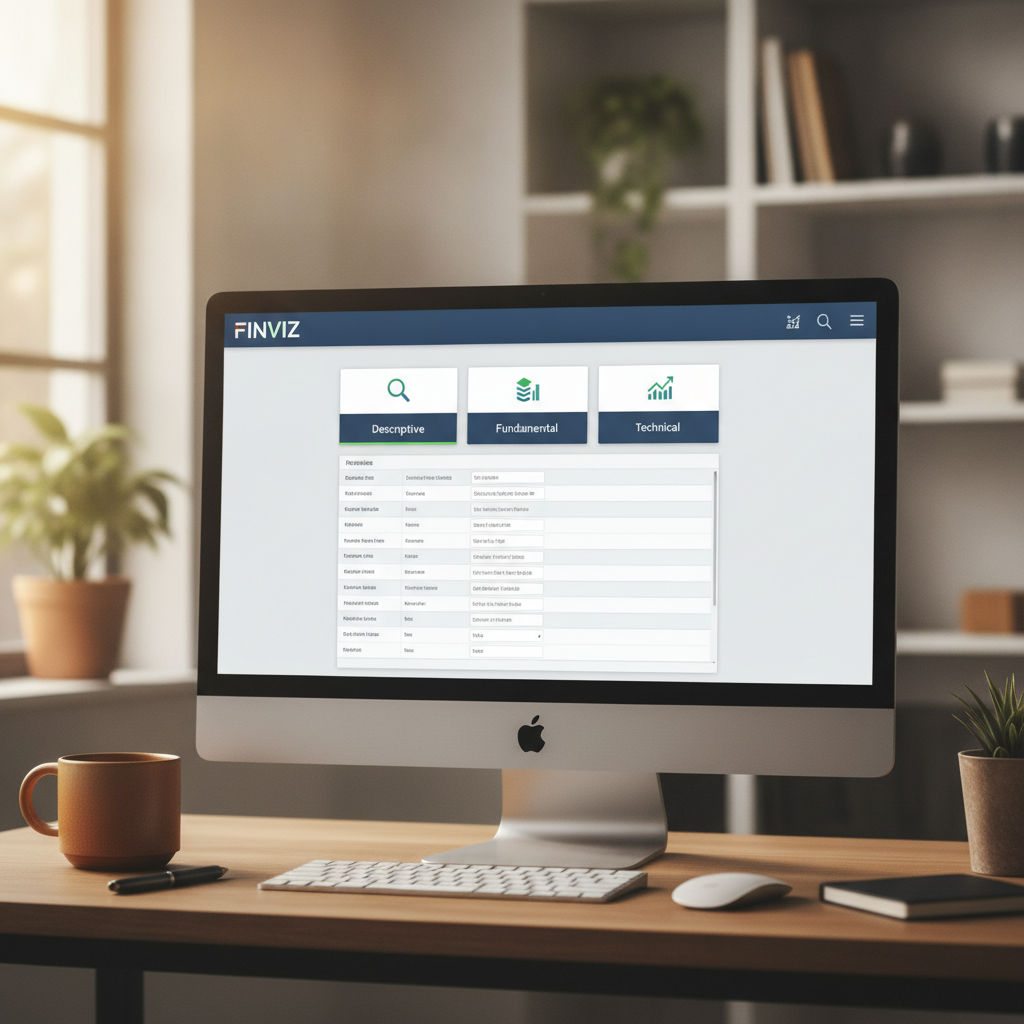
- Choose your filter category. You'll see three tabs: Descriptive, Fundamental, and Technical. Start with Descriptive.
- Apply Descriptive filters. Set Market Cap, Average Volume, and Price first to eliminate illiquid or risky stocks.
- Layer Fundamental filters. If you care about business quality, add P/E, EPS growth, and Debt/Equity constraints.
- Add Technical filters. Use moving averages, RSI, or pattern filters to time entries.
- Switch views. Change from "Overview" to "Valuation," "Performance," and "Technical" to see the same shortlist through different lenses.
- Save or export. Bookmark the URL (Finviz encodes filters in the URL) or, with Elite, save the screen and set alerts.
Mastering the Descriptive Tab: Your First Line of Defense
The Descriptive tab is where every beginner should start. These filters control the most basic characteristics of a stock and are the fastest way to eliminate names you shouldn't be trading in the first place.
Essential Descriptive Filters
- Market Cap: Long-term investors should generally stick to Mid ($2–10B) or Large (above $10B). Active traders can drop to Small Cap for more volatility, but penny stocks (Nano/Micro) carry exponential risk.
- Average Volume: Set this to "Over 500K" or "Over 1M" shares per day. Below this, spreads widen and slippage destroys returns.
- Price: Beginners should set a minimum of $5 to avoid the worst penny-stock manipulation. Some prefer a $10–$200 range.
- Relative Volume: Set to "Over 1.5" or "Over 2" when hunting for stocks attracting unusual attention today.
- Industry: Use "Stocks only (ex-Funds)" if you want to exclude ETFs and ADRs.
Just these five Descriptive filters typically reduce the universe from ~8,000 stocks to between 200 and 800 — a much more manageable starting point.
Start with 3–6 filters total across all three tabs. Too few filters return hundreds of irrelevant results; too many (10+) often return zero matches and force you to relax criteria randomly. The goal is a shortlist of 10–30 stocks you can actually research.
Using Fundamental Filters to Find Quality Businesses
If you're investing rather than day-trading, the Fundamental tab is where the real edge lives. These filters screen for financial health, valuation, and growth — the metrics that drive long-term returns.
Beginner-Friendly Fundamental Filters
- P/E Ratio: "Under 25" for reasonable valuation; "Under 15" for deeper value plays.
- EPS Growth (next 5 years): "Over 10%" filters for genuine growth companies.
- Sales Growth (past 5 years): "Positive" or "Over 10%" confirms the business is actually expanding.
- Debt/Equity: "Under 0.5" for conservative balance sheets.
- Return on Equity (ROE): "Over 15%" identifies efficient capital allocators.
- Gross Margin / Operating Margin: "Positive" or "High" indicates pricing power.
A classic beginner value screen on Finviz combines: Market Cap > $2B, P/E < 20, Debt/Equity < 0.5, ROE > 15%, and Dividend Yield > 2%. That single combination typically returns 30–60 high-quality dividend-paying stocks — an excellent starting universe for an investor.
Technical Filters: Timing Your Entries Like a Pro
The Technical tab is where traders live. These filters analyze price action, momentum, and chart patterns to identify when a stock is set up for a move.
The Trend-Following Beginner Template
One of the most reliable starting points when learning how to use stock screener for beginners techniques is a simple trend-following screen:
- Price above SMA 20 (short-term uptrend confirmed)
- Price above SMA 50 (medium-term uptrend confirmed)
- Price above SMA 200 (long-term uptrend confirmed)
- SMA 20 above SMA 50 (moving average stack confirms momentum)
- RSI between 40 and 70 (not oversold, not yet overbought)
- 52-Week High: Within 10% of the high (strength signal)
This combination, layered on top of basic Descriptive filters, surfaces stocks in healthy uptrends without being dangerously extended — exactly the setups William O'Neil and other trend-following legends have built careers on.
Matching Filters to Your Strategy
The single biggest insight when learning how to use stock screener for beginners approaches is that filters must match your strategy. There is no universal "best screen." Below is a comparison of three common approaches.
| Strategy | Time Horizon | Key Filters | Typical Output Size |
|---|---|---|---|
| Long-Term Value Investing | 3–10 years | P/E, P/B, Debt/Equity, ROE, Dividend Yield | 20–60 stocks |
| Swing Trading | 2 days – 4 weeks | SMAs, RSI, Volume, Relative Volume, Price patterns | 10–30 stocks |
| Day Trading / Momentum | Minutes – hours | Relative Volume, % Change, Float, Price gap | 5–20 stocks |
| Dividend Growth | 5+ years | Dividend Yield, Payout Ratio, EPS Growth, Years of Dividends | 30–80 stocks |
Decide your strategy first, then build the screen around it. Trying to find "good stocks" in the abstract is the fastest way to get overwhelmed.
The free version is sufficient for at least your first 6–12 months. Upgrade to Finviz Elite only when you need real-time data, backtesting, advanced charts, email alerts on saved screens, or CSV export — typically once you're trading actively with real capital.
Reading the Results: Views, Charts, and Custom Layouts
Finviz doesn't just give you a list — it gives you seven different ways to look at that list. Beginners often miss this entirely and leave the most valuable feature unused.
The Seven Output Views
- Overview: Default view with basics — ticker, sector, market cap, P/E, price, change, volume.
- Valuation: P/E, Forward P/E, PEG, P/S, P/B, P/FCF.
- Financial: Margins, ROA, ROE, ROI, Debt/Equity, Current Ratio.
- Ownership: Insider and institutional ownership and transactions.
- Performance: 1-week, 1-month, YTD, 1-year performance and volatility.
- Technical: Distance from moving averages, RSI, relative volume.
- Custom: Build your own columns — the power user's favorite.
The Charts view is particularly powerful: it displays small price charts for every stock in your results. You can scan 40 charts in 30 seconds and immediately spot the cleanest setups visually — a workflow that's almost impossible on competitor platforms without extensive scrolling.
Common Beginner Mistakes (and How to Avoid Them)
After working with thousands of new screener users, the same handful of mistakes appears again and again. Avoiding these alone will put you ahead of 90% of beginners learning how to use stock screener for beginners workflows.
Mistake #1: Screening Without a Strategy
Random filters produce random stocks. Always start with the question: "What kind of trade or investment am I trying to find?" Then reverse-engineer the filters.
Mistake #2: Chasing Yesterday's Winners
Filtering for stocks already up 50% this month often catches you the top. Pair performance filters with technical entries (e.g., pullback to SMA 20) rather than just "biggest gainers."
Mistake #3: Ignoring Liquidity
A stock that trades 50,000 shares per day will give you terrible fills. Always include an Average Volume filter of at least 300K, and preferably 500K+.
Mistake #4: Treating the Screener as the Final Answer
A screener generates ideas, not decisions. Every name that survives your filters still needs a chart review, an earnings calendar check, and a quick read of recent news before any capital is committed.
Mistake #5: Never Iterating
Your first screen will not be your best. Keep notes on which filter combinations produce stocks that actually perform, and refine quarterly.
"A stock screener is a microscope, not a crystal ball — it reveals what already exists in the data, but interpretation is still entirely human."
Building Your First Three Screens This Week
To put everything together, here are three ready-to-use Finviz screens to copy on your first day. Each demonstrates a different aspect of how to use stock screener for beginners tooling effectively.
Screen 1: Quality Dividend Stocks
- Market Cap: +Mid (over $2B)
- Dividend Yield: Over 3%
- Payout Ratio: Under 60%
- Debt/Equity: Under 0.5
- Return on Equity: Over 15%
Screen 2: Swing Trading Uptrends
- Average Volume: Over 1M
- Price: Over $10
- Price above SMA 20, SMA 50, and SMA 200
- RSI (14): Between 40 and 65
- 20-Day High: New High
Screen 3: Earnings Momentum Growth
- Market Cap: +Small (over $300M)
- EPS Growth this year: Over 25%
- Sales Growth past 5 years: Over 15%
- Insider Ownership: Over 10%
- Performance (Quarter): Up
Bookmark each of these in your browser — Finviz encodes every filter into the URL, so a bookmark is effectively a saved screen even on the free tier. Visit the Finviz Screener daily, and within two weeks you'll have an intuitive feel for which filters surface the kinds of stocks you actually want to trade.
Frequently Asked Questions
How long does it take a beginner to learn to use a stock screener effectively?
Most beginners can build a functional screen on day one. Genuine proficiency — knowing which filter combinations work for your strategy and consistently producing actionable ideas — typically takes 4 to 8 weeks of daily practice. The Finviz interface is intentionally designed to flatten this learning curve compared to broker-embedded screeners.
Is Finviz really free, and what are the limits of the free version?
Yes, the core Finviz screener is genuinely free with no account required. The main limitations are 15-minute delayed data, no email alerts, no backtesting, limited chart timeframes, and no CSV export. For learning and idea generation, these limits rarely matter. Active traders eventually upgrade to Finviz Elite for real-time data and alerts.
How many stocks should a good screen return?
Between 10 and 50 is the sweet spot for most beginners. Fewer than 10 usually means your filters are too restrictive and you're missing valid opportunities; more than 50 means you can't reasonably review every chart. Adjust filters until you land in that range, then refine based on the quality of names appearing.
Can I use a stock screener for day trading, or only long-term investing?
Both, but the filter mix differs dramatically. Day traders rely almost entirely on Descriptive and Technical filters — relative volume, % change, float, and gap. Long-term investors lean heavily on the Fundamental tab. Finviz handles both workflows in the same interface, which is one reason it remains the dominant free screener.
What's the single most important filter for a complete beginner?
Average Volume. Filtering for stocks trading at least 500,000 shares per day eliminates 80% of the manipulation, slippage, and spread problems that destroy new traders. Every other filter matters less if your stocks can't be traded efficiently.
Conclusion: From Filters to Real Trades
Knowing how to use stock screener for beginners tooling effectively is one of the highest-ROI skills in retail investing. It transforms an impossible 8,000-stock universe into a focused watchlist in under five minutes. The framework is simple: choose a strategy, layer 3–6 filters across Descriptive, Fundamental, and Technical tabs, review results in multiple views, and iterate weekly.
Finviz remains the fastest, most accessible entry point because it combines a free tier, instant filter updates, and an unmatched visual Charts view in a single browser-based tool. The platform doesn't make decisions for you — that's still your job — but it dramatically shortens the distance between an idea and a qualified candidate.
Ready to put this into practice? Open the Finviz Screener right now, copy one of the three sample screens above, and spend 15 minutes exploring the results in all seven views. Within an hour you'll have your first watchlist — and a real, repeatable workflow you can keep sharpening for the rest of your investing career.