How to Set Up Stock Alerts for Trading Opportunities
July 24, 2026 · 13 min read
Knowing how to set up stock alerts for trading opportunities is one of the highest-leverage skills a retail investor can develop. Markets move fast, and the difference between catching a breakout at $42 and chasing it at $48 often comes down to whether you were watching the screen at the right moment — or whether a well-configured alert did the watching for you. This guide walks through the exact mechanics of building a reliable alert system using Finviz, from single-stock price triggers to full screener-based scans that surface new opportunities automatically.
TL;DR — The Bottom Line
Learning how to set up stock alerts for trading opportunities means combining two tools: symbol-level alerts (price, news, and chart-based triggers on Finviz) and screener-based alerts (custom filters that notify you when new stocks match your strategy). Build 3-5 saved screeners around a defined strategy, set precise price or technical triggers on individual tickers, route notifications to email or desktop, and review results weekly to cut down on noise. The goal is a short, high-conviction watchlist — not a constant stream of pings.
Quick Facts
- Two alert types on Finviz: symbol-level (price/news/chart) and screener-based (saved filter matches)
- Recommended day-trading filters: volume above 1 million shares, price range $10–$50, elevated relative volume
- Delivery channels: email notifications and desktop/browser notifications
- Best practice screener count: 3–5 custom saved filters tied to distinct strategies
- Elite feature: real-time alerts on screener changes and new stocks meeting criteria
Why Effective Stock Alerts Matter for Traders
Before diving into the mechanics of how to set up stock alerts for trading opportunities, it's worth understanding why alert quality matters more than alert quantity. A poorly designed alert system either floods you with irrelevant pings (leading to alert fatigue and ignored signals) or misses the moves you actually care about because the trigger conditions were too loose or too tight.
According to research on trader behavior published by the CFA Institute, cognitive overload from excessive information is a documented driver of poor decision-making among active traders (CFA Institute). The lesson translates directly to alerts: more notifications do not equal more opportunities. What matters is precision.
An effective alert system should:
- Reflect a defined strategy — momentum, mean reversion, value, or options-based — rather than reacting to random price noise.
- Focus on liquid, tradable names — typical day-trading setups favor volume above 1 million shares and price ranges of roughly $10–$50 to ensure you can actually enter and exit positions.
- Trigger on objective, testable conditions — a price crossing a level, RSI entering overbought/oversold territory, or a screener turning up new matches.
- Limit noise — thresholds should be calibrated so alerts remain rare and meaningful.
- Fit your existing workflow — email, desktop, or push notifications tied to your normal research routine.
When you understand how to set up stock alerts for trading opportunities with this discipline in mind, alerts become a curated research shortlist — not a source of impulsive trades.
Setting alerts without a strategy behind them. An alert that fires on any 2% price move, for example, generates dozens of low-value notifications a day. Tying alerts to a specific setup — a breakout above resistance, an RSI reading below 30, or a screener match — makes each notification actionable.
How to Set Up Stock Alerts for Trading Opportunities on Individual Stocks
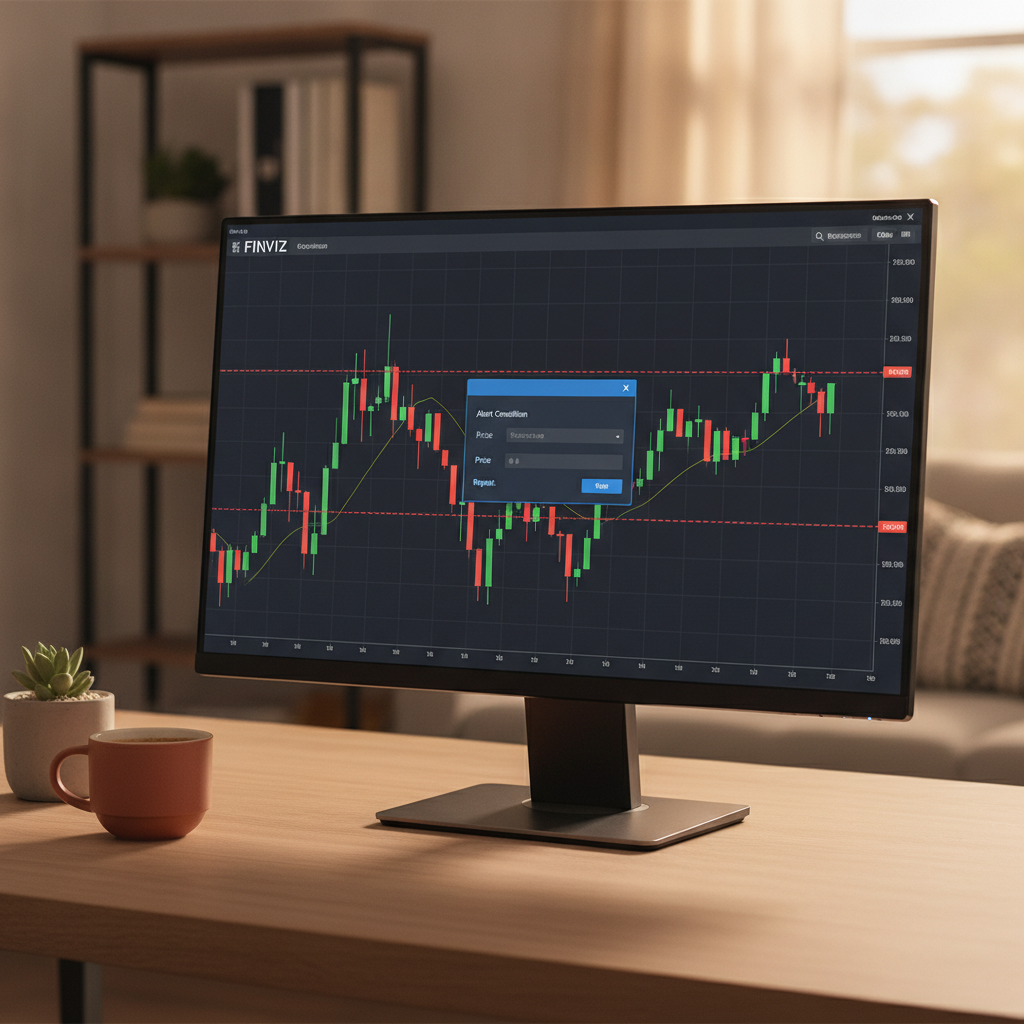
Finviz supports both chart-based and menu-based alerts on single tickers, making it straightforward to learn how to set up stock alerts for trading opportunities at the symbol level. Here's the step-by-step process:
- Log in and open a ticker page. After signing in at Finviz, search for any symbol to load its quote and chart page.
- Click "Set Alert." You'll see this option above or near the chart. Clicking it opens a configuration dialog.
- Choose an alert type. Options typically include price alerts and news alerts, depending on what kind of trading opportunity you're tracking.
- Define the trigger. For a price alert, set the exact level and direction — for example, notify me when the price goes above $50 or below $45.
- Set news preferences. For news alerts, choose whether you want notification on any new headline or only headlines matching certain filters.
- Confirm with "Create Alert." Finviz will monitor the ticker continuously and notify you once your condition is met.
Finviz has also introduced one-click chart alerts for members, which speed up this process significantly. Simply move your cursor to a price level on the chart's price scale, click the "+" icon, and choose whether to be alerted above or below that level. Alternatively, click the bell icon on the chart and select "Create Alert" for more granular control.
These tools are particularly useful for traders focused on:
- Breakouts or breakdowns through a defined support or resistance level
- Retests of previously marked key levels
- Price approaching a zone of interest, such as a prior swing high or low
Screener-Based Alerts: Systematic Opportunity Discovery
Symbol-level alerts work well once you already have a watchlist, but the deeper answer to how to set up stock alerts for trading opportunities involves scanning the entire market for new candidates automatically. This is where screener-based alerts come in.
Step 1: Build a Custom Screener
Navigate to Screener within Finviz and combine descriptive, fundamental, and technical filters that reflect your strategy. Avoid relying on generic pre-built screeners — instead, build three to five custom profiles aligned with distinct approaches, such as growth, momentum, or value. For example, a momentum screener might combine:
- Average volume above 1 million shares
- Price between $10 and $50
- Relative volume above 2x
- Price above the 20-day moving average
Step 2: Save the Filter
Once your filter combination returns a manageable, relevant list of stocks, click "Save This Filter" so it becomes reusable across sessions.
Step 3: Create an Alert From the Saved Screener
Select your saved filter from the dropdown menu in the Screener view, scroll down, and click "Create Alert" above the results table. Name the alert clearly (for example, "Momentum Breakout — Mid Cap") and save it. From this point forward, Finviz will notify you whenever a new stock enters or exits that filtered list.
Step 4: Configure Delivery
Scroll to the notification settings and enter your email address for email alerts, or enable desktop notifications if you prefer to be alerted only while the browser is open. Finviz Elite members can access real-time alerts, meaning notifications fire as soon as a stock matches the criteria rather than on a delayed basis.
This workflow is the core mechanism behind how to set up stock alerts for trading opportunities at scale — instead of manually re-running a screener every hour, you let the system flag new matches for you.
Yes. Most active traders maintain three to five saved screeners representing different strategies (momentum, value, earnings catalysts, insider buying, and so on), each with its own dedicated alert. This diversifies the type of trading opportunities you're notified about without overwhelming you with a single overly broad filter.
Choosing the Right Trigger Conditions for Your Strategy
The technical steps for how to set up stock alerts for trading opportunities are simple; the harder part is deciding what should actually trigger a notification. Trigger conditions should map directly to your trading style.
| Trading Style | Typical Alert Trigger | Best Alert Type |
|---|---|---|
| Breakout / Momentum | Price crosses above a resistance level with elevated relative volume | Symbol-level price alert + one-click chart alert |
| Mean Reversion | RSI drops below 30 or rises above 70 | Screener-based alert with technical filter |
| Value Investing | P/E or P/B ratio drops below a defined threshold combined with positive earnings growth | Screener-based alert with fundamental filter |
| Event-Driven | New insider buying, earnings surprise, or analyst upgrade | News alert on watchlist symbols |
| Swing Trading | Price approaches a marked support/resistance zone from a prior swing high or low | Chart-based price alert |
Testing your trigger logic before relying on it live is essential. Run your screener manually for a week or two, note how many results it would have generated as alerts, and adjust thresholds until the frequency matches something you can realistically act on — typically no more than a handful of new opportunities per day.
Managing Alert Delivery and Avoiding Notification Fatigue
Even a technically well-designed alert system fails if delivery is mismanaged. Part of learning how to set up stock alerts for trading opportunities is deciding where and how those alerts reach you.
Email vs. Desktop Notifications
Email alerts are asynchronous and searchable, making them useful for screener-based alerts you review once or twice a day. Desktop notifications are immediate but only work while your browser is open, making them better suited to time-sensitive price or breakout alerts during active trading hours.
Batching and Review Cadence
Rather than reacting to every alert the moment it arrives, many professional traders batch-review alerts at set times — for example, at market open, midday, and close. This prevents impulsive reactions to noise and keeps your attention on higher-quality setups.
Periodic Cleanup
Alerts that haven't fired in weeks, or that consistently produce low-quality signals, should be deleted or retuned. A study on information overload by the American Psychological Association found that excessive interruptions measurably reduce task accuracy and decision quality (American Psychological Association) — a strong reason to periodically prune your alert list rather than letting it grow indefinitely.
A well-tuned alert list should feel like a short daily briefing, not an inbox you dread opening.
Common Mistakes When Setting Up Stock Alerts
Even experienced traders make avoidable errors when learning how to set up stock alerts for trading opportunities. The most frequent mistakes include:
- Setting price alerts too close to the current price — this generates constant, low-value notifications as the stock oscillates around that level.
- Relying only on pre-built screeners — generic filters rarely match your specific strategy or risk tolerance.
- Ignoring liquidity filters — an alert on a thinly traded stock may flag a move you can't actually execute at a fair price.
- Never reviewing alert performance — without tracking whether an alert led to a good trade, you can't refine the underlying logic.
- Overloading a single alert with too many conditions — overly complex filters can result in zero matches for long stretches, defeating the purpose.
Avoiding these pitfalls is just as important as the technical setup steps when it comes to how to set up stock alerts for trading opportunities that actually improve your trading results.
Most active traders review alert performance weekly, checking whether triggered alerts led to legitimate trading opportunities or false signals, and adjusting thresholds accordingly. Screener-based alerts tied to fundamentals can be reviewed less frequently, such as monthly or after earnings season.
Building a Repeatable Alert Workflow
To consolidate everything above, here is a repeatable process for how to set up stock alerts for trading opportunities that scales as your strategy evolves:
- Define your strategy first. Decide whether you're focused on momentum, value, mean reversion, or event-driven trades before building any filters.
- Build and save 3-5 custom screeners on Finviz that reflect each strategy, using liquidity filters like volume above 1 million shares.
- Create screener-based alerts for each saved filter to catch new matches automatically.
- Layer in symbol-level price and chart alerts for specific tickers already on your watchlist, marking key breakout or support levels.
- Route notifications appropriately — email for lower-urgency screener alerts, desktop for time-sensitive price triggers.
- Review and prune weekly to keep the system sharp and reduce fatigue.
This layered approach — symbol-level plus screener-based — is the most complete answer to how to set up stock alerts for trading opportunities in a way that holds up across different market conditions.
Frequently Asked Questions
How do I set up stock alerts for trading opportunities on Finviz?
Log into your Finviz account, open a ticker's quote or chart page, and click "Set Alert" to configure a price or news trigger. For broader market scanning, build a custom screener under the Screener tab, save it, and click "Create Alert" to be notified whenever new stocks match your criteria.
What's the difference between price alerts and screener-based alerts?
Price alerts monitor a single stock for a specific condition, such as crossing above or below a set price level. Screener-based alerts monitor the entire market against a custom set of filters and notify you whenever a new stock enters or exits that filtered list, making them better for discovering new opportunities rather than tracking one you already know.
How many stock alerts should I set up at once?
Most traders benefit from keeping the total number of active alerts small — typically 5 to 15 symbol-level alerts plus 3 to 5 screener-based alerts tied to distinct strategies. This keeps the signal-to-noise ratio high and prevents alert fatigue.
Can I get real-time stock alerts for free?
Finviz offers free symbol-level price and news alerts, though real-time screener-based alerts on new matches are typically part of the Finviz Elite subscription, which also unlocks intraday data and additional technical filters.
What conditions make the best stock alert triggers?
The best triggers are objective and testable: a price crossing a defined support or resistance level, an RSI reading entering overbought or oversold territory, a stock newly matching a saved screener, or a confirmed news event like insider buying or an earnings surprise.
Final Thoughts on Setting Up Stock Alerts
Mastering how to set up stock alerts for trading opportunities isn't about accumulating the maximum number of notifications — it's about building a filtered, strategy-aligned system that surfaces only the setups worth your attention. By combining Finviz's symbol-level price and news alerts with saved, screener-based alerts, you create a layered net that catches both the tickers you're already watching and the new opportunities you haven't discovered yet.
Start small: pick one strategy, build one saved screener, set a handful of price alerts on stocks you already follow, and review the results after two weeks. Refine from there. Over time, this disciplined approach to how to set up stock alerts for trading opportunities will save you hours of manual scanning and help you act on real setups before the broader market catches up.
Ready to put this into practice? Head to Finviz to build your first custom screener and set up your alerts today.